PromoBeacon: spot unusual discounts on your Shopify orders
PromoBeacon learns what normal promotions look like for your store and flags orders where a discount is unusually deep or large, codes stack in a way they normally don't, or a promotion covers far more items than usual. It's read-only: it never edits, blocks, or creates discounts.
Not sure what unintended discounts cost you? Try the free discount leak calculator.
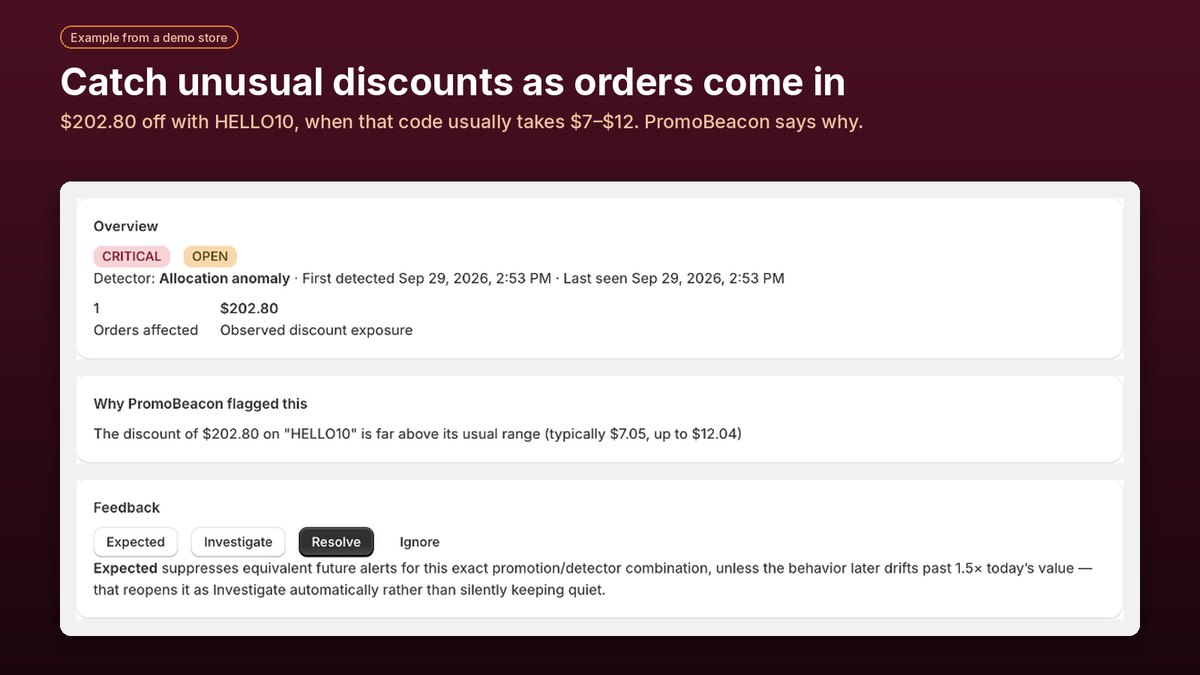
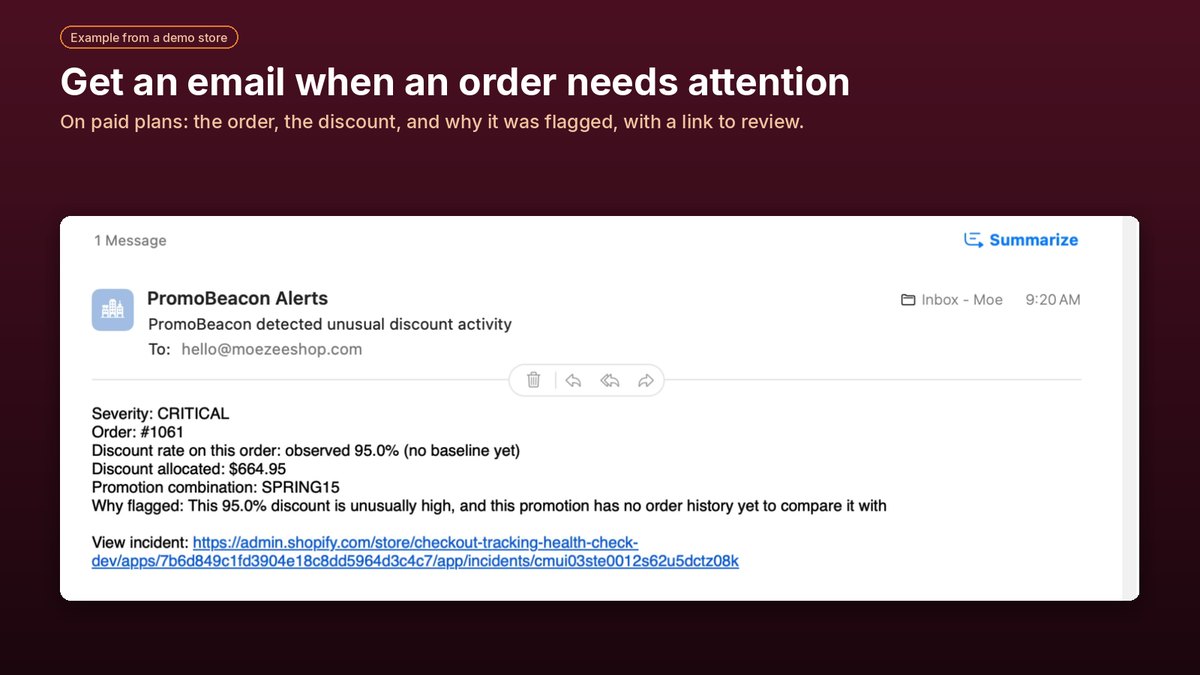
Screenshots show example data from a demo store.
What PromoBeacon checks
Unusually deep discounts
A percentage off that's far deeper than normal for that promotion.
Unexpected code stacking
Discounts combining in a way your store rarely or never sees.
Unusually large discount amounts
A promotion taking far more money off an order than it usually does.
Unusual reach
A promotion applying to far more items, units, or merchandise value than usual.
Getting started
1. Install
PromoBeacon asks for read access to orders and discounts only.
2. It scans your history
It reviews your recent orders (Shopify shares up to about the last 60 days) to learn each promotion's normal range.
3. New orders are checked
Each new order is compared with that history. Flagged orders appear on your dashboard with the reason.
Plans
| Plan | Price | New orders checked / month | Email alerts |
|---|---|---|---|
| Free | $0 | 100 | No |
| Starter | $12 / month | 500 | Yes |
| Pro | $24 / month | 2,500 | Yes, plus priority email support |
All four checks are included on every plan. Paid plans include a 7-day free trial. Current prices are always shown on the App Store listing.
Frequently asked questions
What counts toward my monthly allowance?
Every new order your store receives, whether or not it has a discount. Orders scanned from your history when you install don't count.
What happens when I reach my plan's limit?
Monitoring pauses for the rest of the billing month. Later orders are still recorded but not checked until the allowance resets. Upgrading to a plan with a higher limit starts checking again straight away; switching to a lower plan doesn't reset the count.
How long before PromoBeacon is useful?
It starts from your recent order history, so promotions you've used before are compared right away. A brand-new code has no history yet, so at first it's only flagged when the discount is very deep (50% or more). Comparisons get more reliable as a promotion builds history, and a code is considered established after about 20 orders.
Does PromoBeacon change or block discounts?
No. It's read-only. It never edits, blocks, or creates discounts, and it can't stop an order at checkout. It checks orders after they're placed so you can act before more orders are affected.
Who receives email alerts?
On Starter and Pro, alerts go to the store owner's email address. The Free plan shows flagged orders on the dashboard only.
Is anything not checked?
Discounts added later by editing an existing order aren't checked, and one-off manual discounts build less history than reusable codes and automatic discounts.
What happens to my data if I uninstall?
All data for your store is deleted automatically when you uninstall. See the privacy policy.
Support
Questions, a flag you don't understand, or something not working? Email us with your store's .myshopify.com address and, if it's about a flagged order, the order number.
support@moezeeshop.com