
01
Thank You and order status banner
An app block on both pages invites the customer to share their location right after they buy.
DoorPin · Shopify app
After checkout, DoorPin asks your customer to share their exact delivery spot, by GPS or a pin on the map. The pin lands on the order, one tap from Google Maps, so couriers stop guessing at vague addresses.
Customers choose to share. Nothing is captured without a tap.
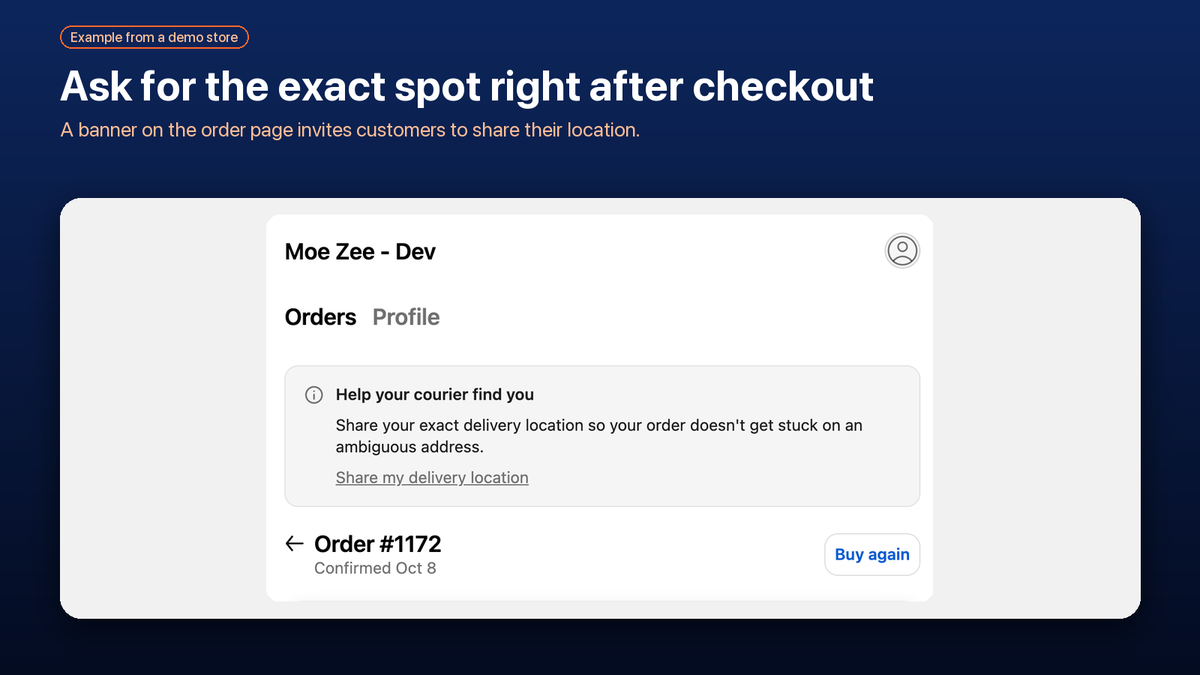
Example from a demo store.
Product overview
A quick look at DoorPin in action.
What it does
01
An app block on both pages invites the customer to share their location right after they buy.
02
One tap to share the phone’s location, or place a pin by hand on the map when GPS is off or wrong.
03
See which orders have a verified location, with an Open in Maps link for each one.
04
Paid plans: a read-only link for one order that shows only the order number and the pin. It expires after 7 days.
05
Paid plans: export order number, date, coordinates, time and method for your dispatch sheet.
06
The customer-facing pages work in Arabic with right-to-left layout.
01
Place the DoorPin blocks on the Thank You and order status pages in the checkout editor.
02
They tap Share my delivery location, or drop a pin on the map. Shopify opens its own location prompt.
03
Open the pin in Maps from the Orders page, or send the courier link by WhatsApp.
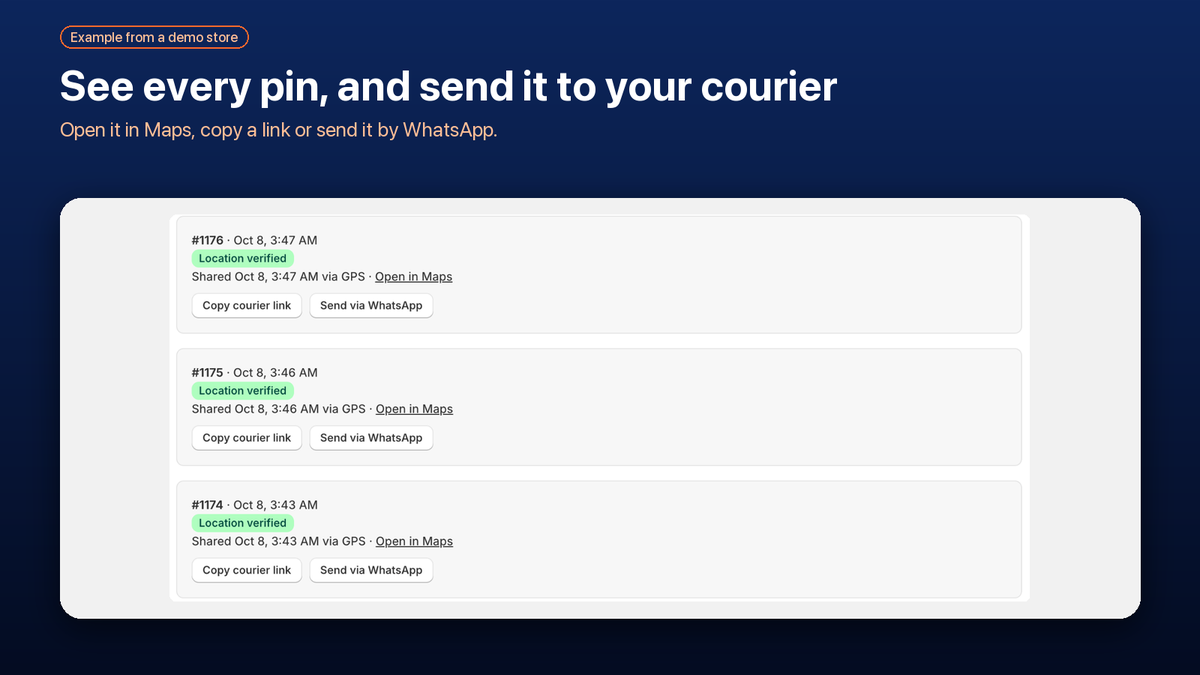
Example from a demo store.
A closer look
The Orders page shows which orders have a verified location and how it was shared. Open it in Maps, copy the courier link or send it by WhatsApp. DoorPin does not store the coordinates in its own database: the single copy lives on the order in your Shopify store.
Explore the app listing →Plans
$0
$9 / month
$24 / month
Current prices and limits are always shown on the Shopify App Store listing.
No. Sharing is opt-in. The customer taps the button, which triggers their device’s own location prompt, or places a pin by hand. Nothing is captured without that action.
On the customer’s order in your Shopify store, as app-owned metafields. DoorPin’s own database holds no coordinates and no customer data, only the app’s sign-in session for your shop.
DoorPin removes the location metafields from orders older than 30 days. A scheduled job runs at least every 6 hours while the app is installed.
The courier link shows only the order number and the pin. No customer name, phone number or address. It is read-only and expires after 7 days.
They can place the pin manually on the map instead. The Orders page shows whether a location came from GPS or a manual pin.
Yes. The customer-facing pages support Arabic with right-to-left layout.
DoorPin deletes its session data for your shop immediately. Location metafields already on your orders stay there until you delete them or Shopify sends the redact notices. See the privacy policy.
Email us with your store’s .myshopify.com address and what you’re seeing.
[email protected] →